Microsoft 365 Phishing Incident Investigation
Contained a Microsoft 365 phishing-based account compromise with no evidence of persistence or data exfiltration
Overview
Full incident investigation of a phishing attack involving encoded redirect parameters, Microsoft authentication flows, MFA interaction, and anomalous Entra ID sign-ins
Problem
A user received a malicious link from a trusted contact whose account had been compromised. After interacting with the link, they were routed through a convincing Microsoft login flow. The goal was to determine whether the account was compromised, how the attack worked, and whether persistence or data exfiltration occurred.
Constraints
- Cloud-only investigation using Microsoft 365 logs
- Time-sensitive containment required
- Limited visibility into attacker infrastructure
- Reliance on Entra ID and Exchange data only
Approach
Reconstructed the attack chain from browser history, decoded encoded phishing URL parameters, analyzed Microsoft Entra ID sign-in logs, correlated MFA activity, and validated mailbox persistence settings.
Key Decisions
Decode Base64 URL parameter
Revealed a Microsoft OAuth authorization endpoint explaining how the attack mimicked legitimate login behavior
Correlate login events by time and location
Identified simultaneous authentication from different geographic locations
Revoke sessions and reset credentials
Prevent continued access from potentially hijacked sessions
Tech Stack
- Microsoft Entra ID
- Microsoft 365 Admin Center
- Exchange Online
- Browser History Analysis
- Base64 Decoding
Result & Impact
- Blocked user sign-in, revoked MFA session tokens, reset user passwordContainment
- Examined user mailbox delegation and forwarding which revealed no eveidence of persistencePersistence
Incident contained before further escalation
Learnings
- Trusted senders can be leveraged in phishing
- MFA can be abused in real-time phishing flows
- OAuth redirects can be used to legitimize phishing
- Session revocation is critical
Incident Narrative
Initial Report
A user reported receiving an email from a known contact containing a link. Because the sender was trusted, the user followed the link without suspicion. Following this, the sender informed the reciever their account had been compromised and the reciever alerted that they may have been phished.
Phishing Entry Point
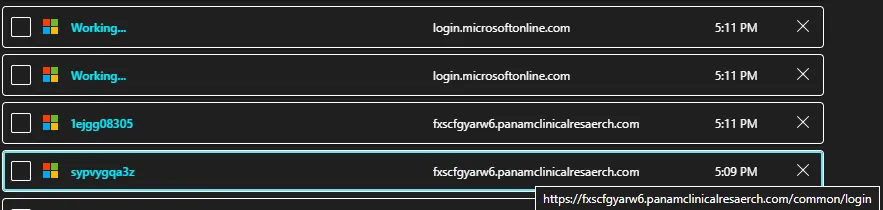
The user was taken to a Microsoft-branded login page hosted on a non-Microsoft domain. The page visually mimicked Microsoft’s authentication flow, increasing credibility.
Base64 Encoded Redirect
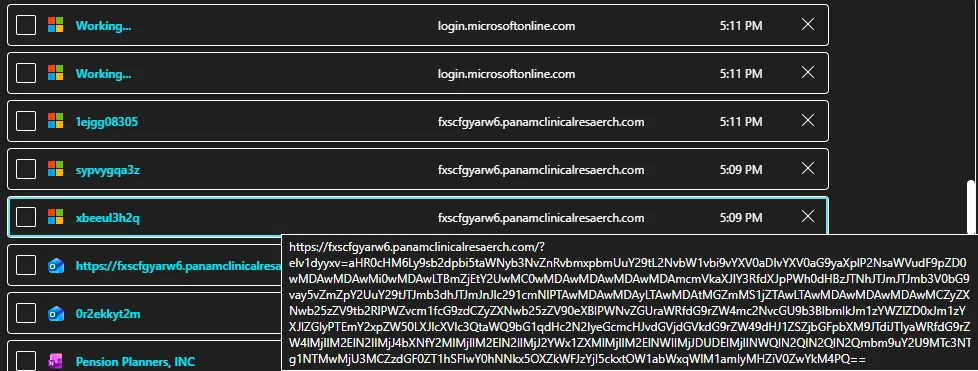
The URL contained a Base64-encoded parameter:
eIv1dyxv=aHR0cHM6Ly9sb2dpbi5taWNyb3NvZnRvbmxpbmUuY29tL2NvbW1vbi9vYXV0aDIvYXV0aG9yaXplP2NsaWVudF9pZD0wMDAwMDAwMi0wMDAwLTBmZjEtY2UwMC0wMDAwMDAwMDAwMDAmcmVkaXJlY3RfdXJpPWh0dHBzJTNhJTJmJTJmb3V0bG9vay5vZmZpY2UuY29tJTJmb3dhJTJmJm5vbmNlPTAwMDAwMDAyLTAwMDAtMGZmMS1jZTAwLTAwMDAwMDAwMDAwMCZyZXNwb25zZV9tb2RlPWZvcm1fcG9zdCZyZXNwb25zZV90eXBlPWNvZGUraWRfdG9rZW4mc2NvcGU9b3BlbmlkJm1heF9hZ2U9MCZjbGllbnRfaW5mby0xJmNsaWVudC1yZXF1ZXN0LWlkPTg4Njg1NDQxLTkzZDQtNGU3Ny04M2M2LTk5OGYxNjE2OTJlNSZzdGF0ZT1hSFlwOU9NNkxSOXZKWEI2Yjl5clotOW5abWxqWjI1amlyMHZiV0ZwYkM4PQ==Decoded:
https://login.microsoftonline.com/common/oauth2/authorize?client_id=00000002-0000-0ff1-ce00-000000000000&redirect_uri=...Interpretation
This shows the phishing site was embedding a legitimate Microsoft OAuth authorization request.
This likely means:
- The attacker routed the user into a real Microsoft login flow
- The user interacted with legitimate Microsoft authentication
- The phishing page acted as a relay or middle layer
This is significantly more advanced than a simple credential harvesting page.
Authentication Flow
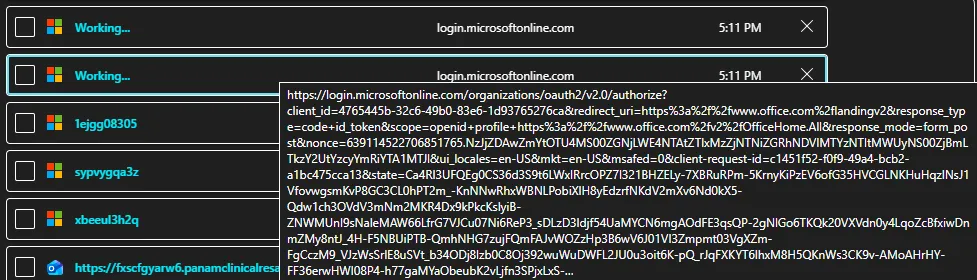
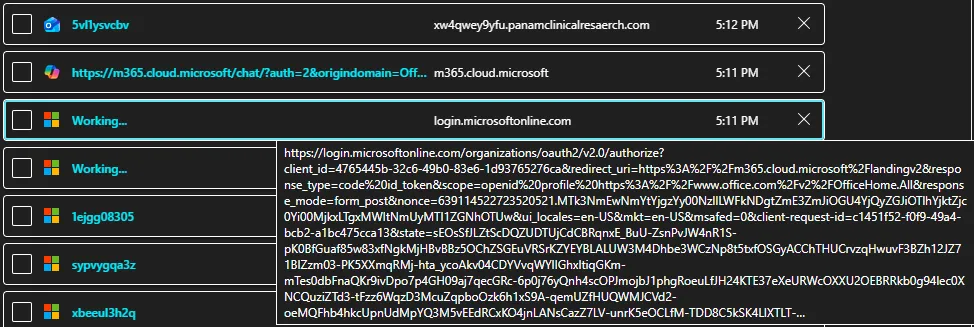

The user was redirected into real Microsoft authentication endpoints. This blended malicious infrastructure with legitimate services, making detection difficult.
Sign-In Anomalies
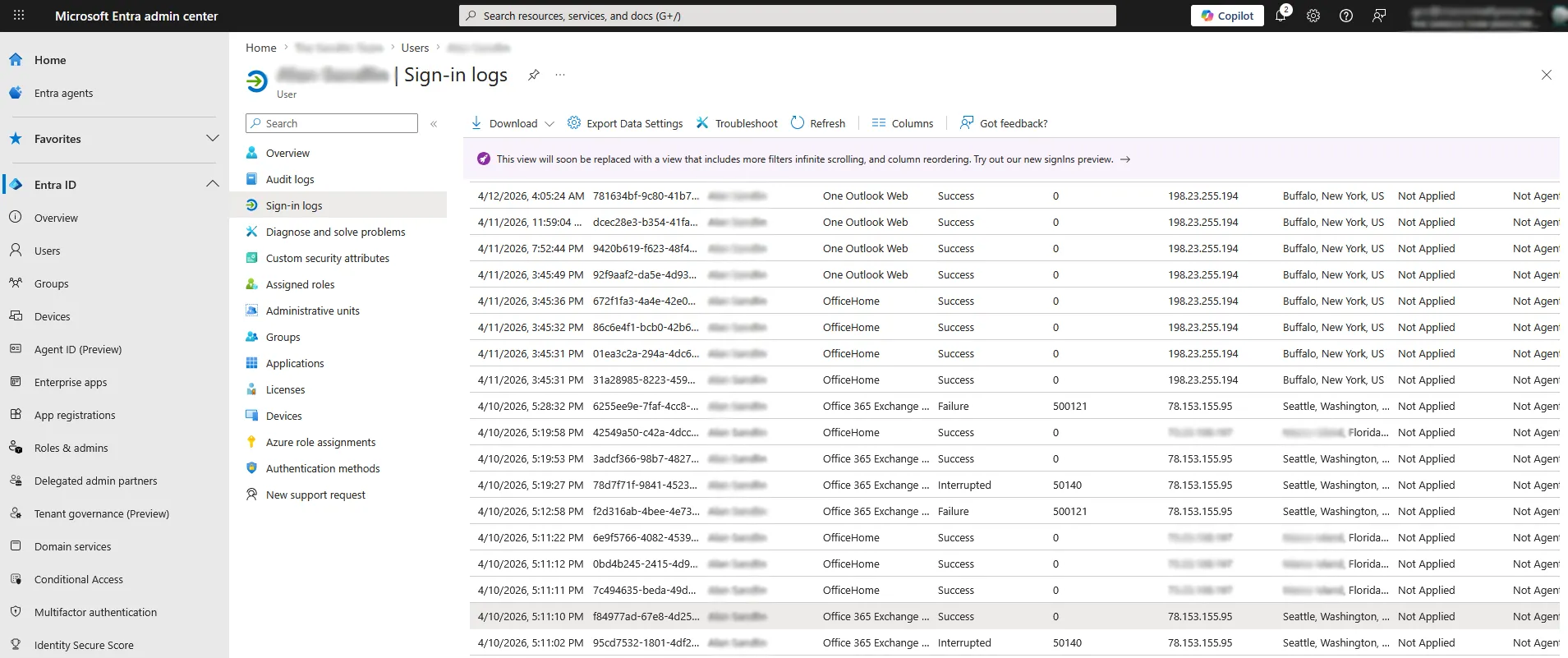
Logs showed:
- Login from expected location
- Login from different state
- Occurring within seconds
This indicates two sessions operating concurrently.
MFA Activity
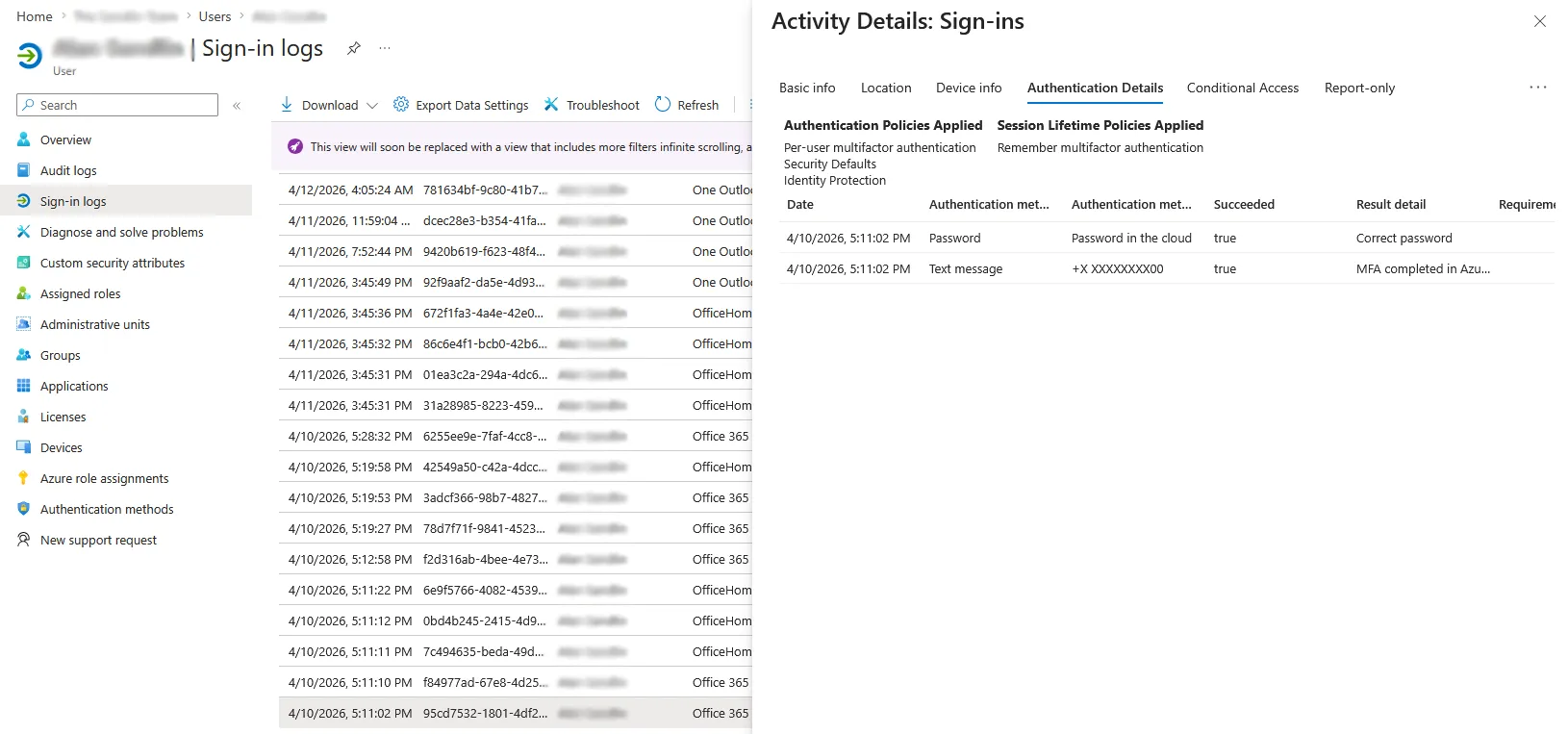
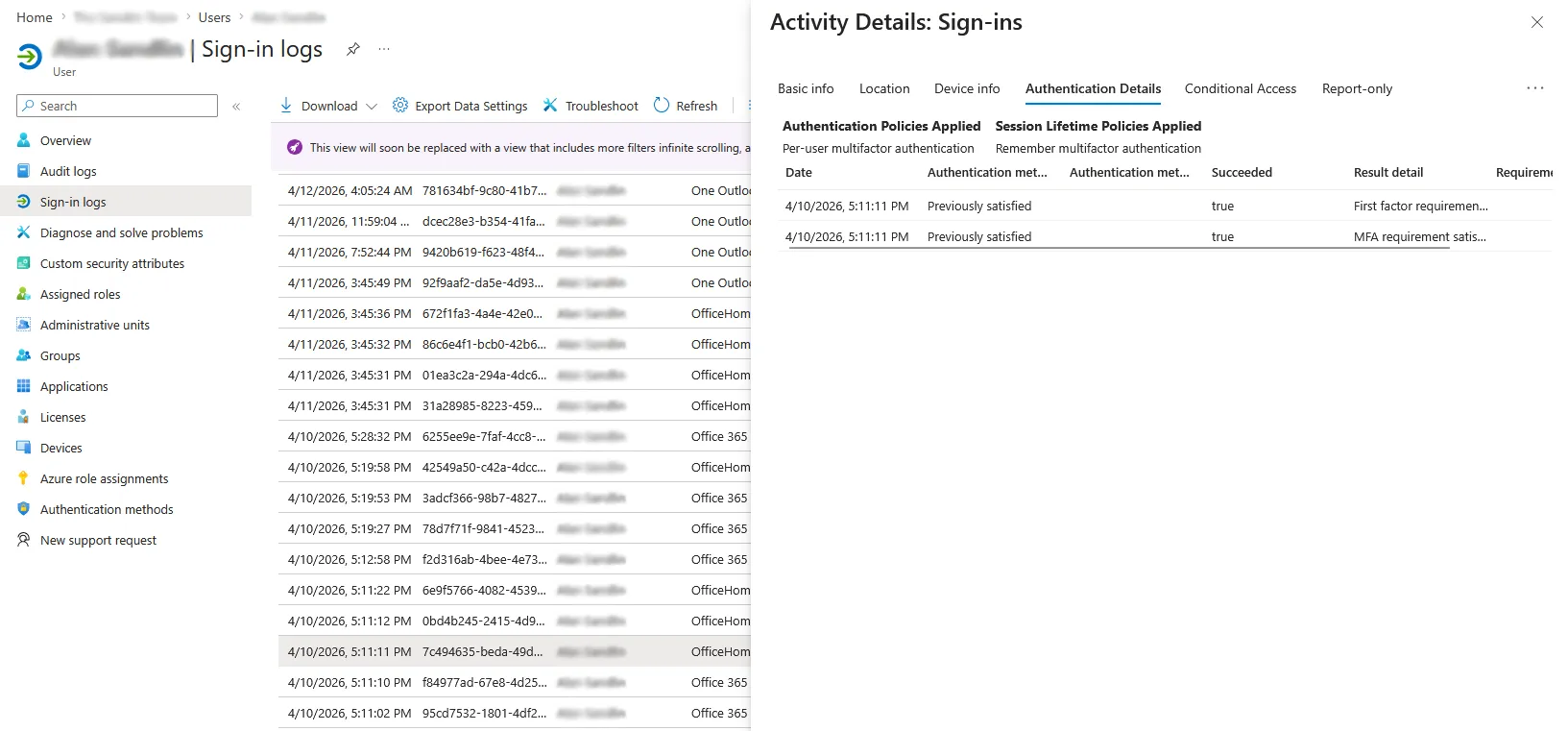
Findings:
- MFA completed on suspicious session
- Second session showed “previously satisfied MFA”
Interpretation
This suggests:
- MFA was completed once
- Another session reused that authentication
- Both sessions were active simultaneously
This aligns with real-time phishing or session interception behavior.
Containment Actions
Once suspicious authentication was confirmed, the account was treated as compromised and the following steps were taken:
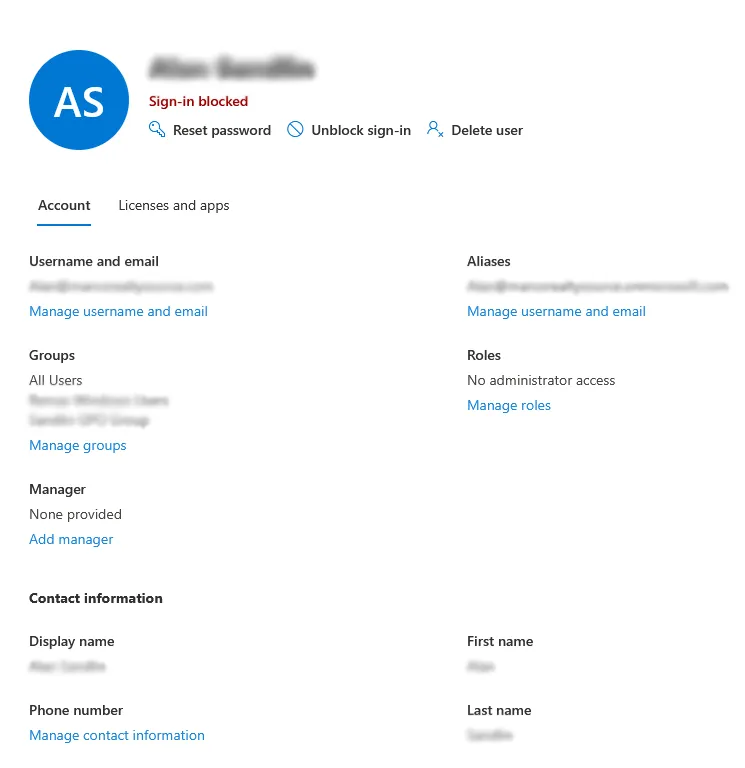

Actions performed:
- Reset user password immediately
- Blocked sign-in temporarily to stop active sessions
- Revoked all active session tokens
- Forced reauthentication across all devices
- Reviewed mailbox for persistence mechanisms
These steps ensured that even if a session token had been captured, it could no longer be used.
Persistence Checks
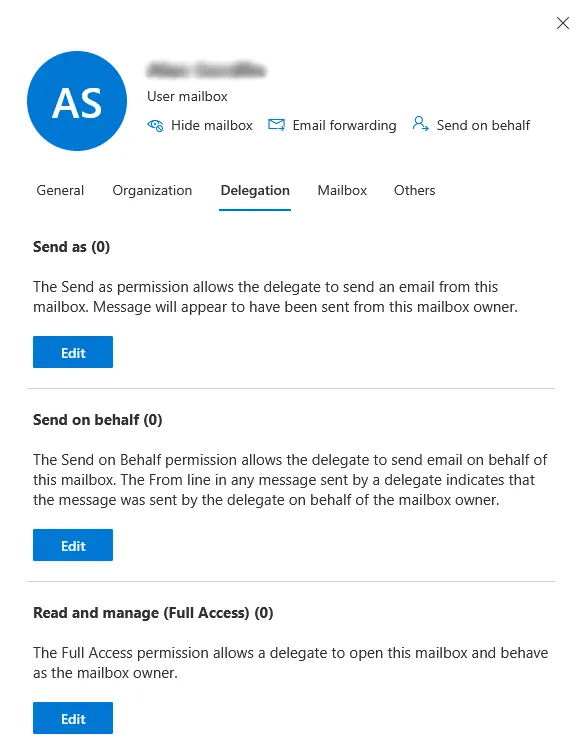
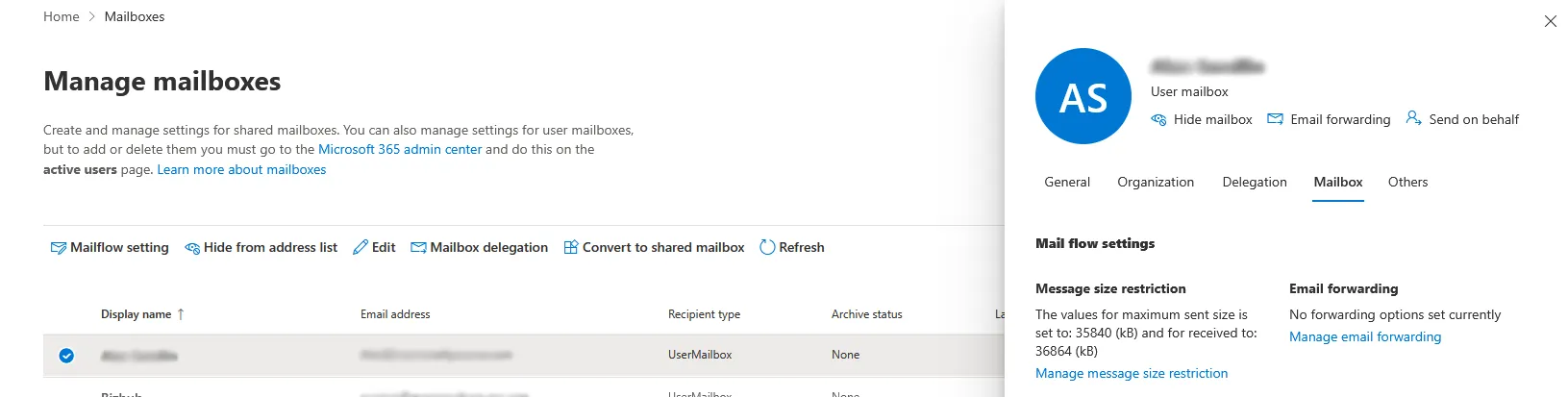
Results:
- No mailbox delegation
- No forwarding rules
- No persistence mechanisms identified
Conclusion
The attack leveraged:
- A compromised trusted sender
- A phishing page mimicking Microsoft
- Base64-encoded OAuth redirect
- Real Microsoft authentication
- MFA interaction reuse
The account was secured before persistence or data exfiltration occurred.
This case demonstrates how modern phishing blends legitimate authentication with attacker infrastructure to bypass user suspicion.