Endpoint Investigation: Phishing-Delivered RMM Masquerading as Google Meet
Identified and remediated unauthorized remote access persistence deployed via a phishing-delivered MSI using obfuscated PowerShell
Overview
Performed a real-world endpoint investigation after a user reported a suspected virus, uncovering a phishing-based installation of a disguised remote access tool with scheduled task persistence and encoded PowerShell execution.
Problem
An end user reported a potential virus infection. Initial antivirus scans detected only unrelated PUPs, leaving uncertainty about system compromise. The challenge was to determine whether a deeper threat existed despite clean automated scan results.
Constraints
- Initial antivirus scans showed no high-confidence threats
- No EDR tooling available for advanced telemetry
- Analysis had to be performed manually using built-in and lightweight tools
- Had to preserve system stability while investigating
Approach
Performed manual inspection of persistence mechanisms after automated scans failed to identify the root issue. Investigated Task Scheduler, decoded obfuscated PowerShell commands, analyzed installed applications, and correlated findings with browser history and download artifacts.
Key Decisions
Manually inspect Task Scheduler after AV results were inconclusive
Persistence mechanisms often evade traditional antivirus detection, especially when using legitimate tools like PowerShell.
- Trust antivirus results and stop investigation
- Reimage system immediately without analysis
Decode Base64 PowerShell command instead of treating it as suspicious only
Understanding the actual behavior of the encoded command provided proof of persistence and execution logic.
- Flag as suspicious without decoding
- Remove task without further analysis
Correlate browser history with installed software
Linking user activity to the installation source helped establish the initial infection vector.
- Focus only on endpoint artifacts
- Ignore user browsing behavior
Tech Stack
- Windows Task Scheduler
- PowerShell
- Malwarebytes
- Autoruns
- Windows Event Viewer
Result & Impact
- Scheduled Task running as SYSTEMPersistence Mechanism Identified
- Primary threat missed by antivirus toolsDetection Gap
- Phishing-delivered MSI installerUnauthorized Access Vector
Prevented continued unauthorized remote access by identifying and removing a disguised RMM tool. Demonstrated the importance of manual investigation beyond automated detection tools.
Learnings
- Antivirus tools alone are insufficient for detecting persistence-based threats
- Task Scheduler is a common persistence mechanism for unauthorized access
- Base64-encoded PowerShell is frequently used for obfuscation
- Correlating user behavior with system artifacts is critical in investigations
Technical Deep Dive
Initial Detection Gap
The investigation began after a user reported a suspected virus. A scan using Malwarebytes identified only unrelated potentially unwanted programs (PUPs), which did not explain the user’s concern. Autoruns also failed to reveal any obvious persistence mechanisms.
This prompted a manual investigation of common persistence locations.
Suspicious Download Source
Initial browser history showed the user actively searching for Google Meet and attempting to download it from legitimate-looking sources:
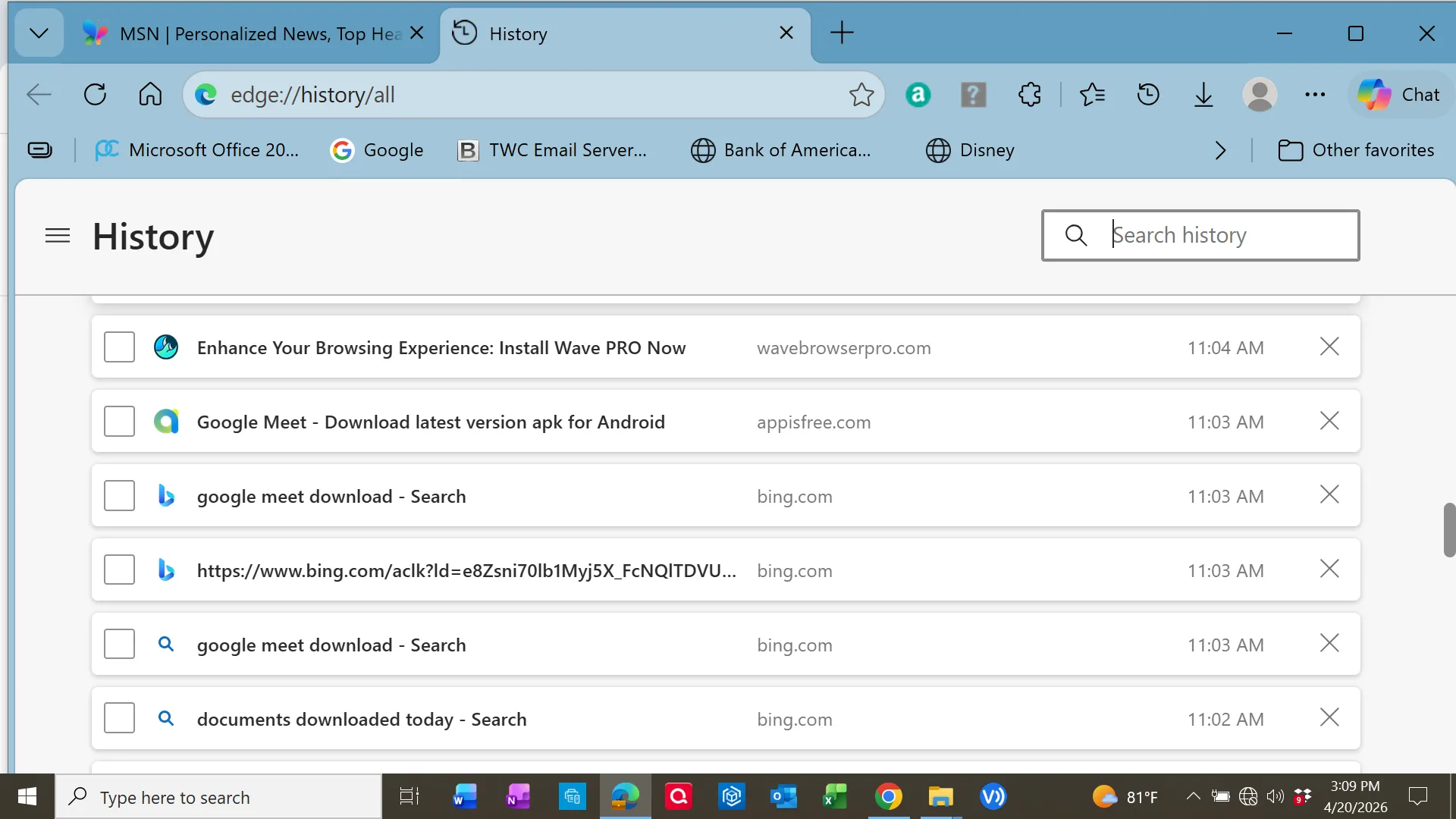
Shortly after, the user navigated to a suspicious domain:
osay[.]digital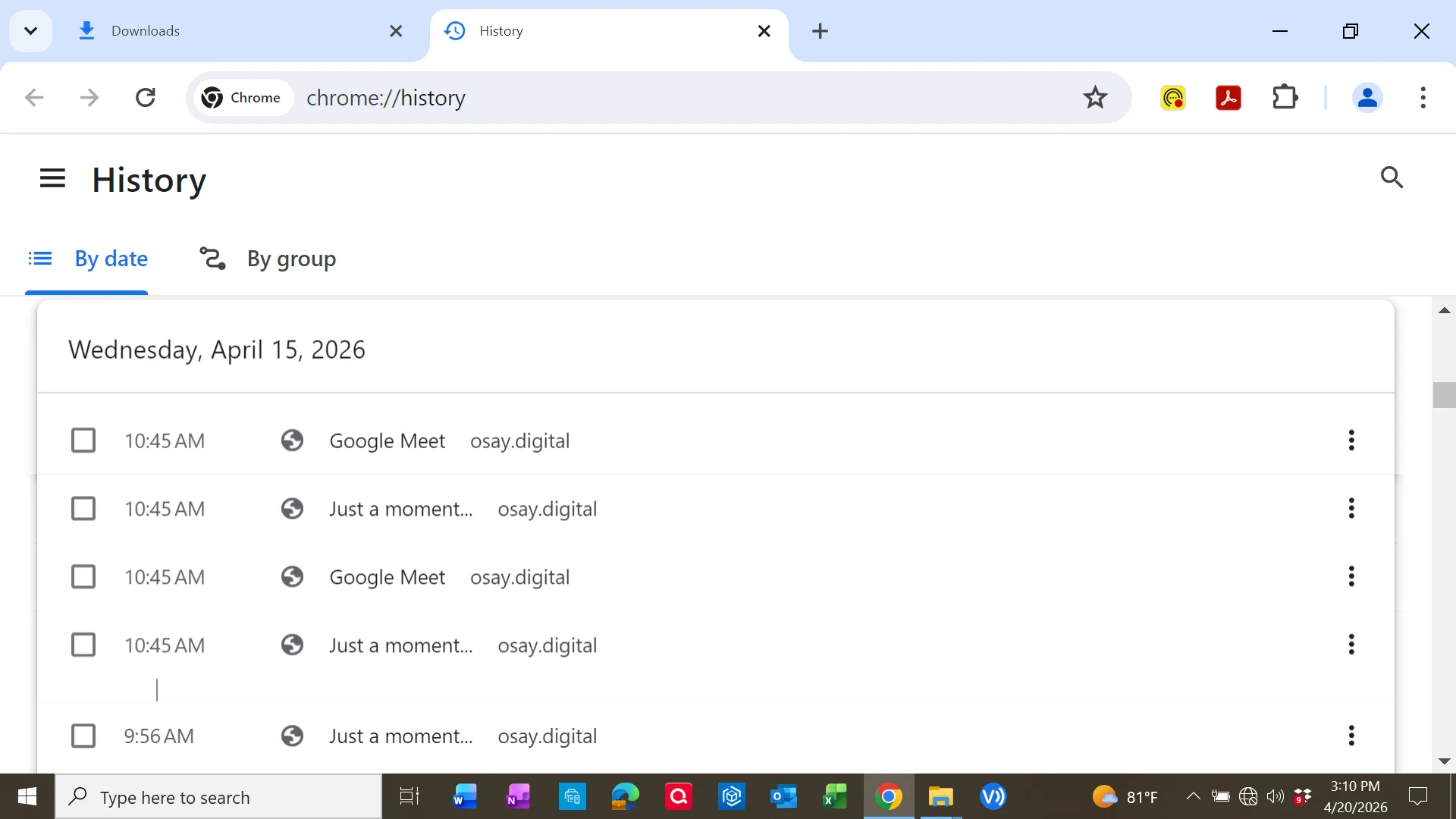
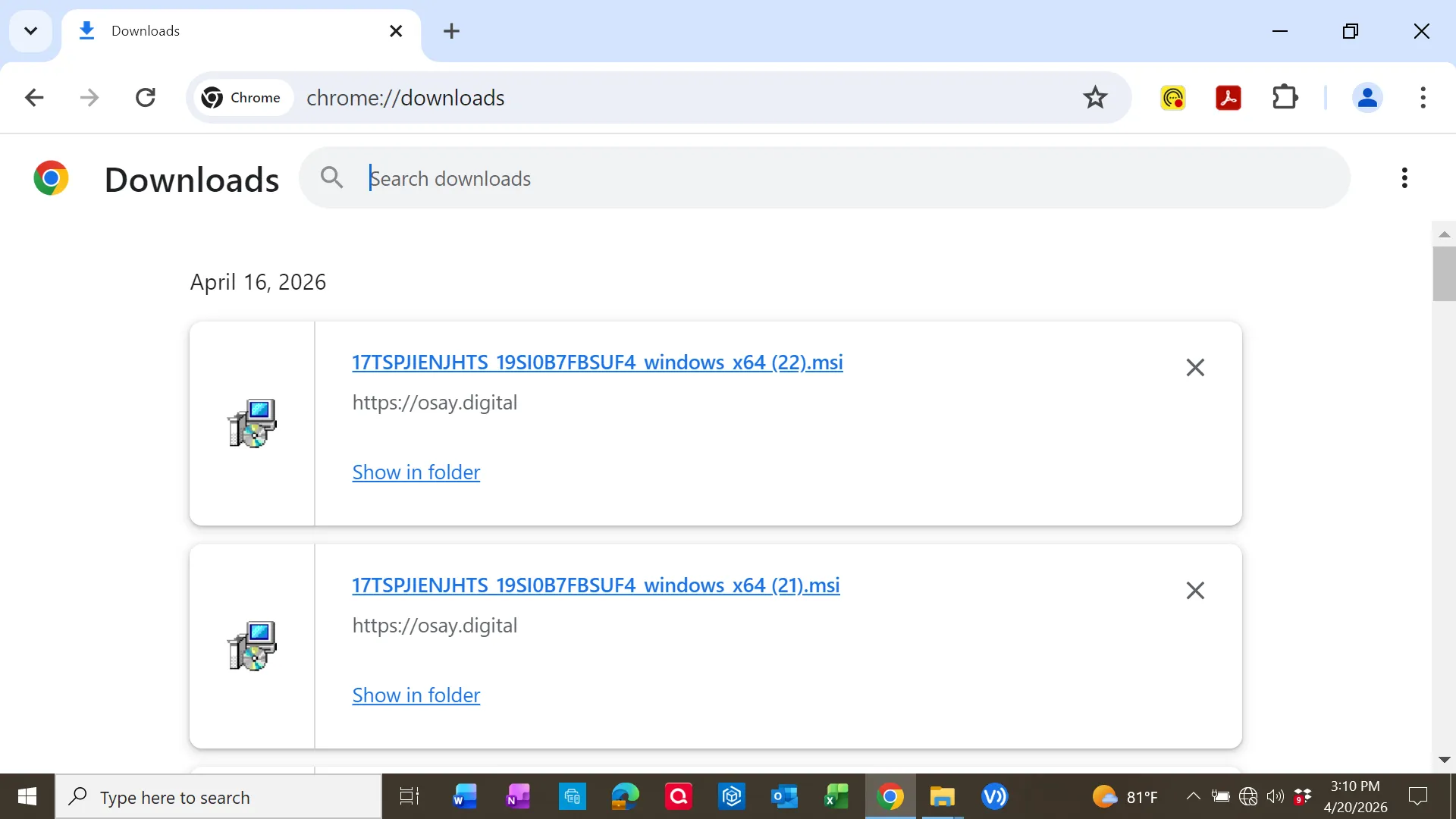
Download artifacts confirmed multiple MSI files retrieved from this domain:
Phishing Indicator
The domain later displayed a Cloudflare warning indicating suspected phishing activity:
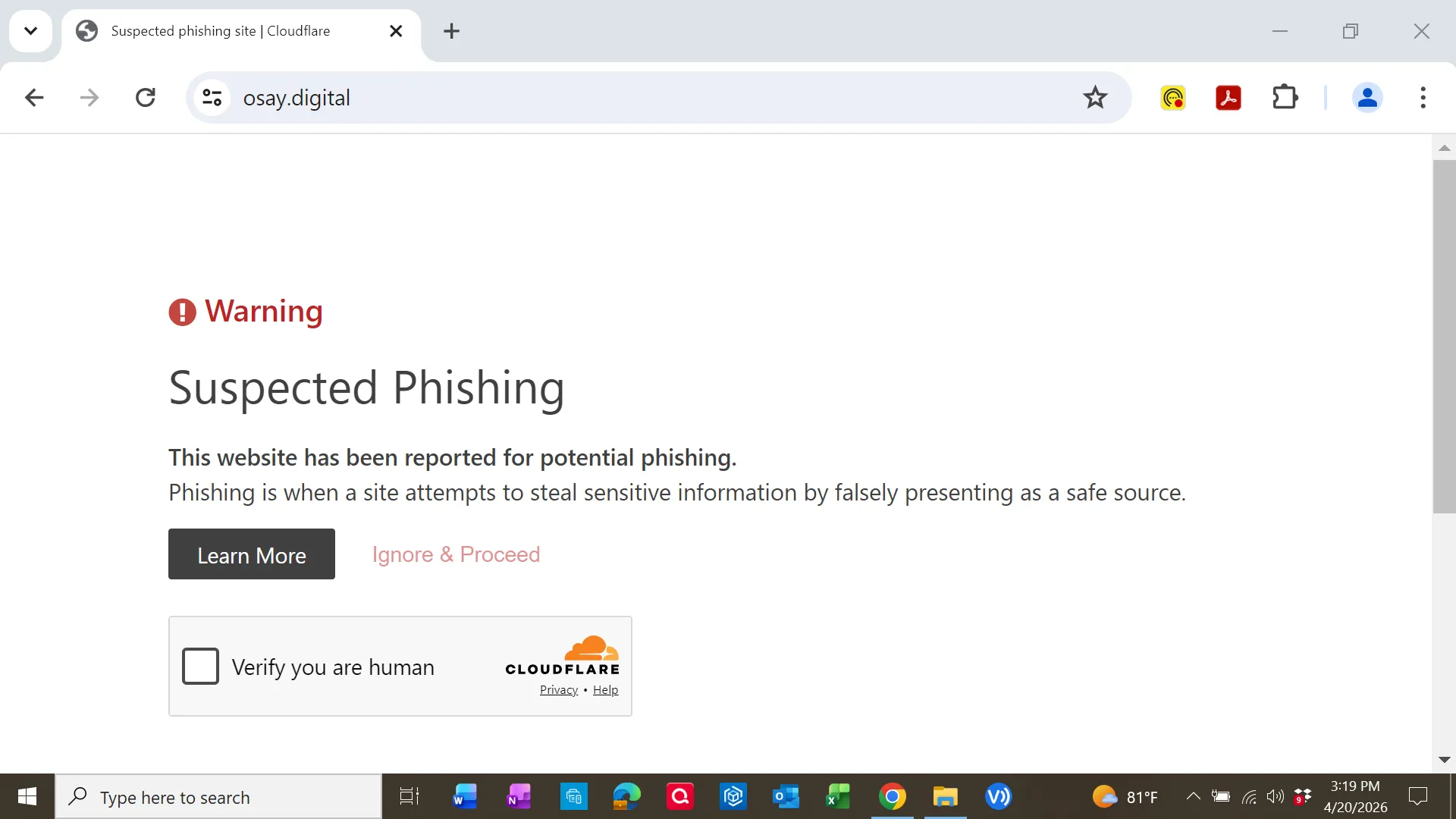
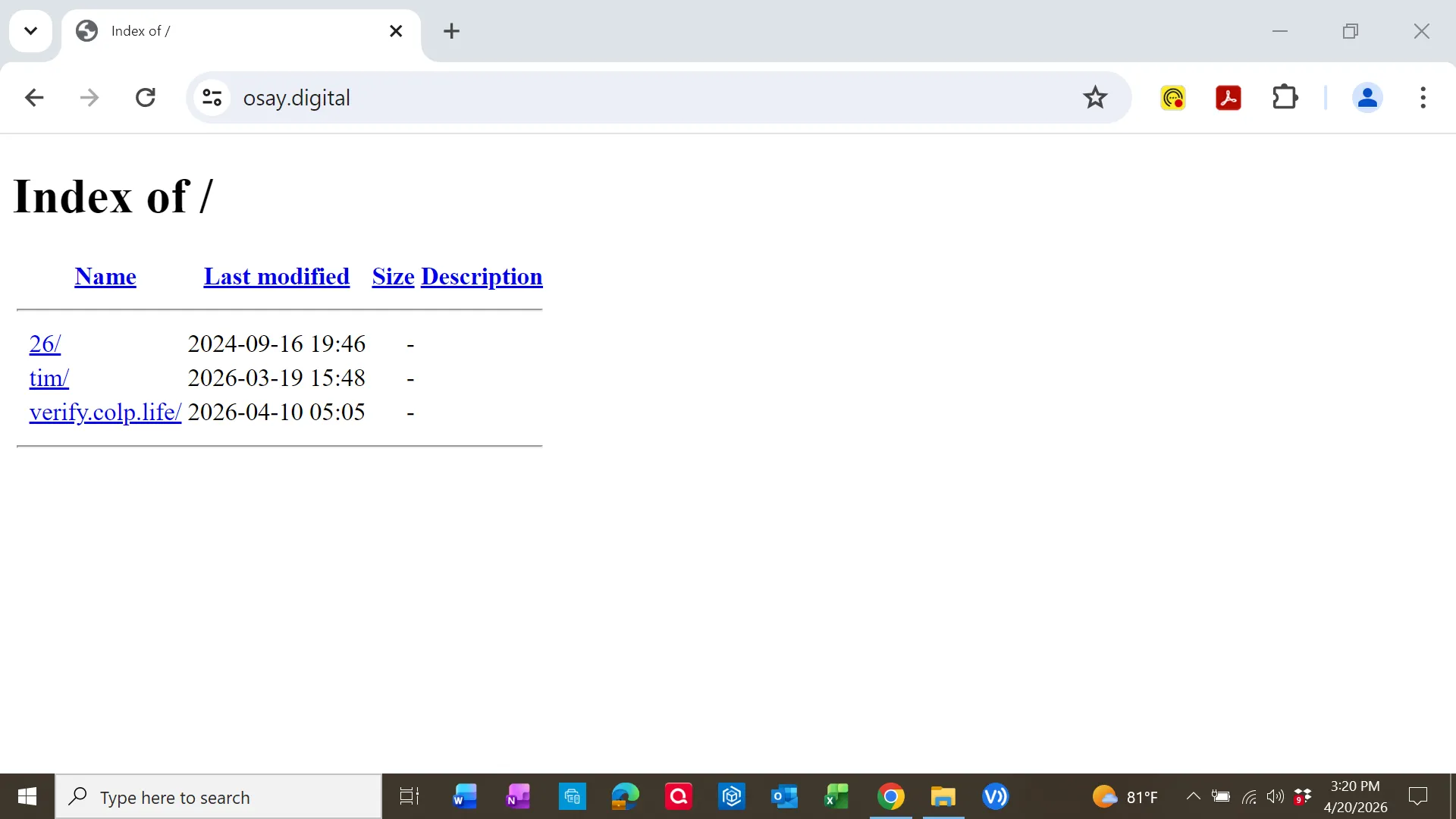
Additionally, the site exposed a directory listing:
Installed Application Analysis
The system contained an installed application labeled:
Google Meet RMM (Version 2.0.0.0)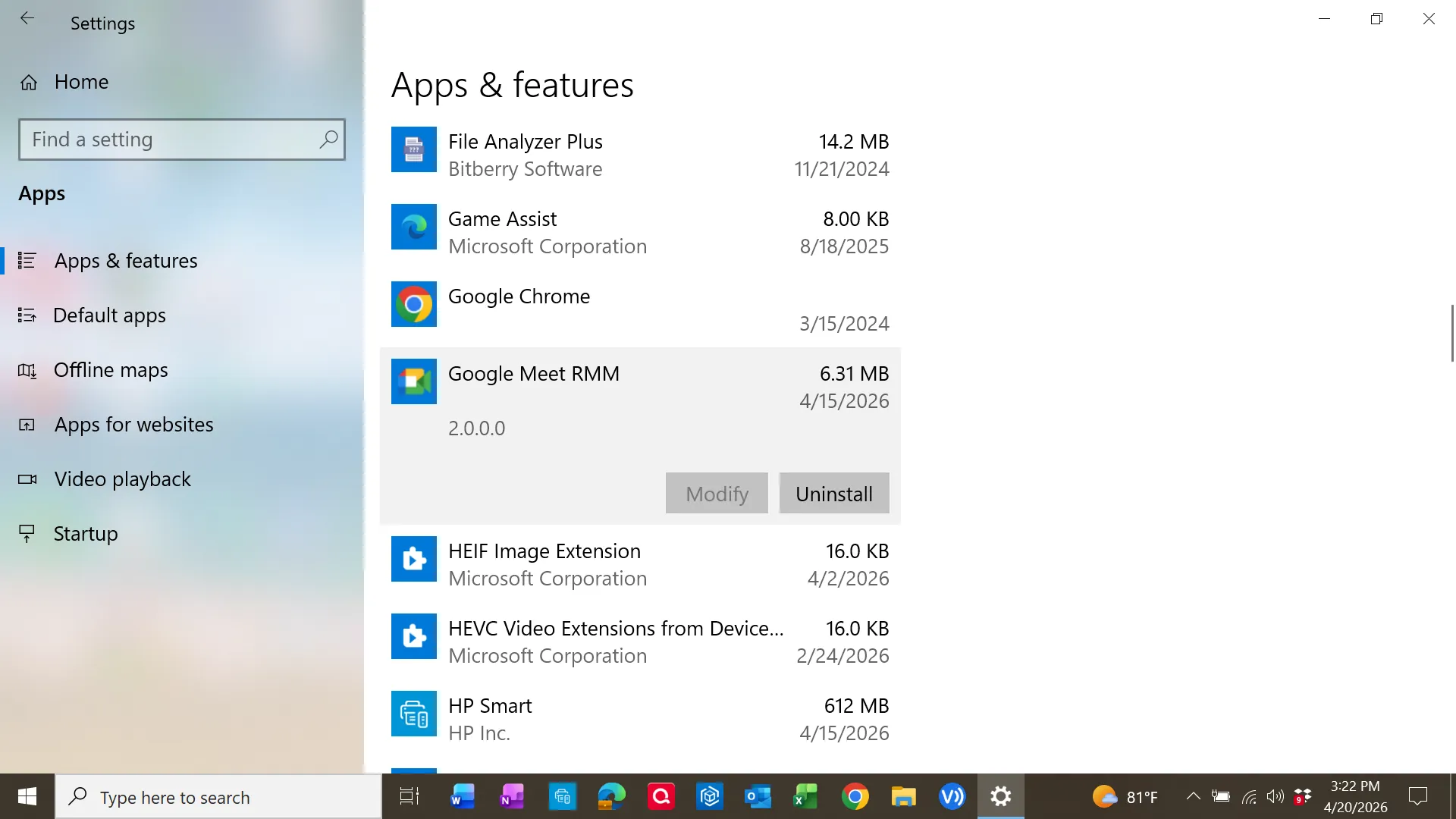
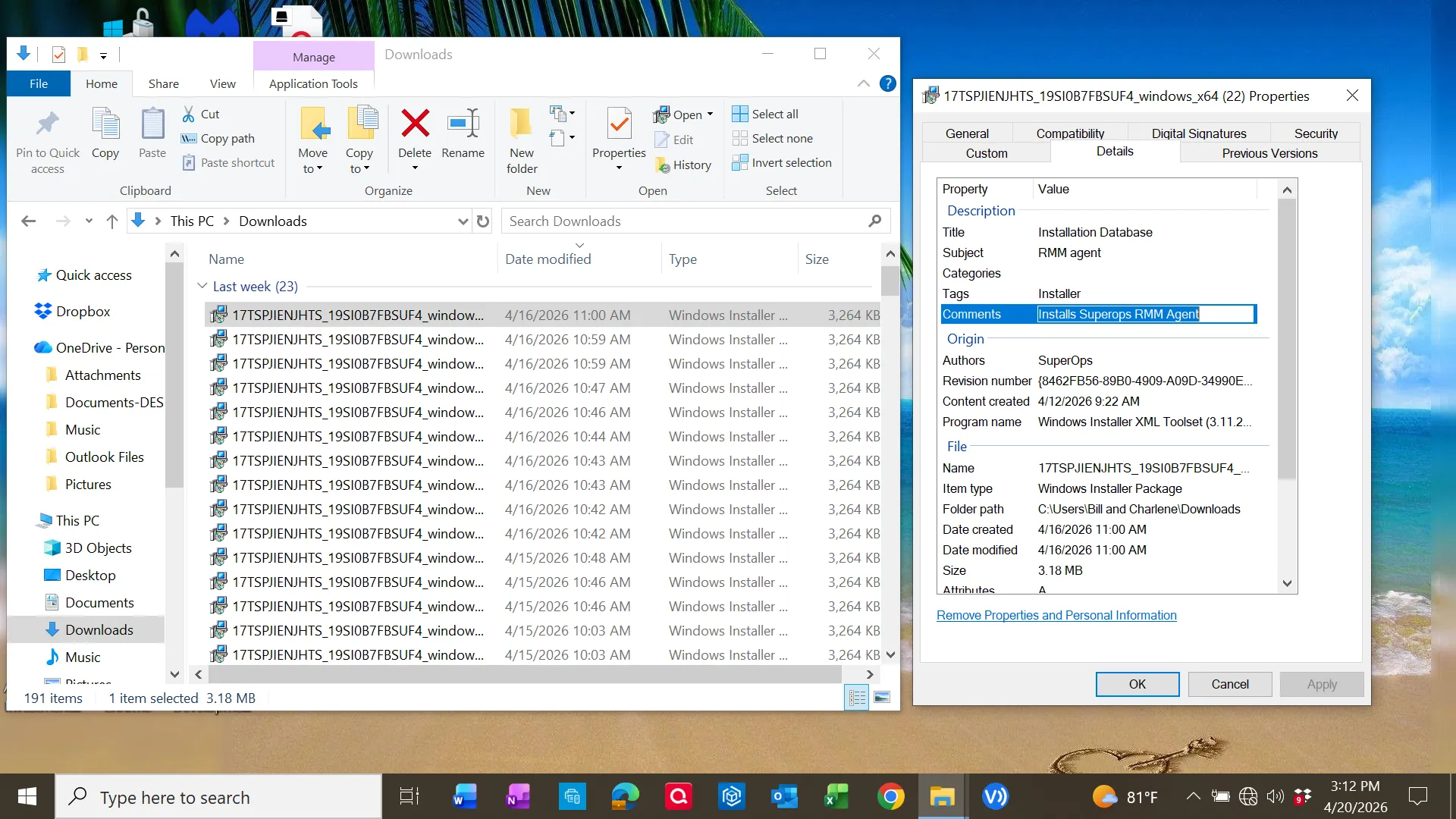
Inspection of the MSI metadata revealed:
- Description: Installation Database
- Comment: Installs Superops RMM Agent
- Signed by: SuperOps Inc.
The binary components were also digitally signed:
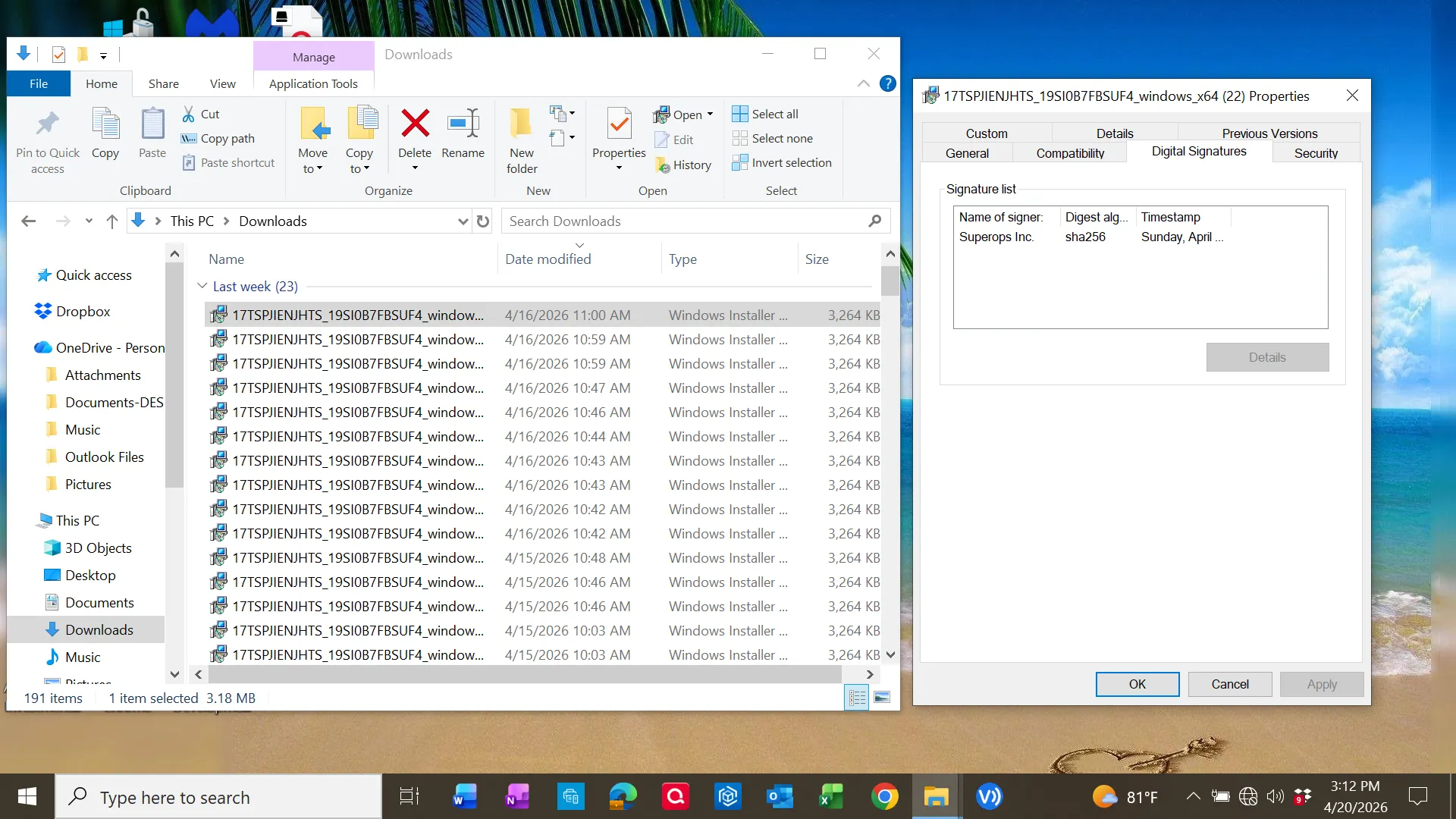
This indicates the installer leveraged legitimate signed software (RMM tooling) but was distributed through a deceptive delivery method.
RMM Software Behavior
The installed application exposed full remote access capabilities:
- Remote Access
- Desktop Sharing
- File Sharing
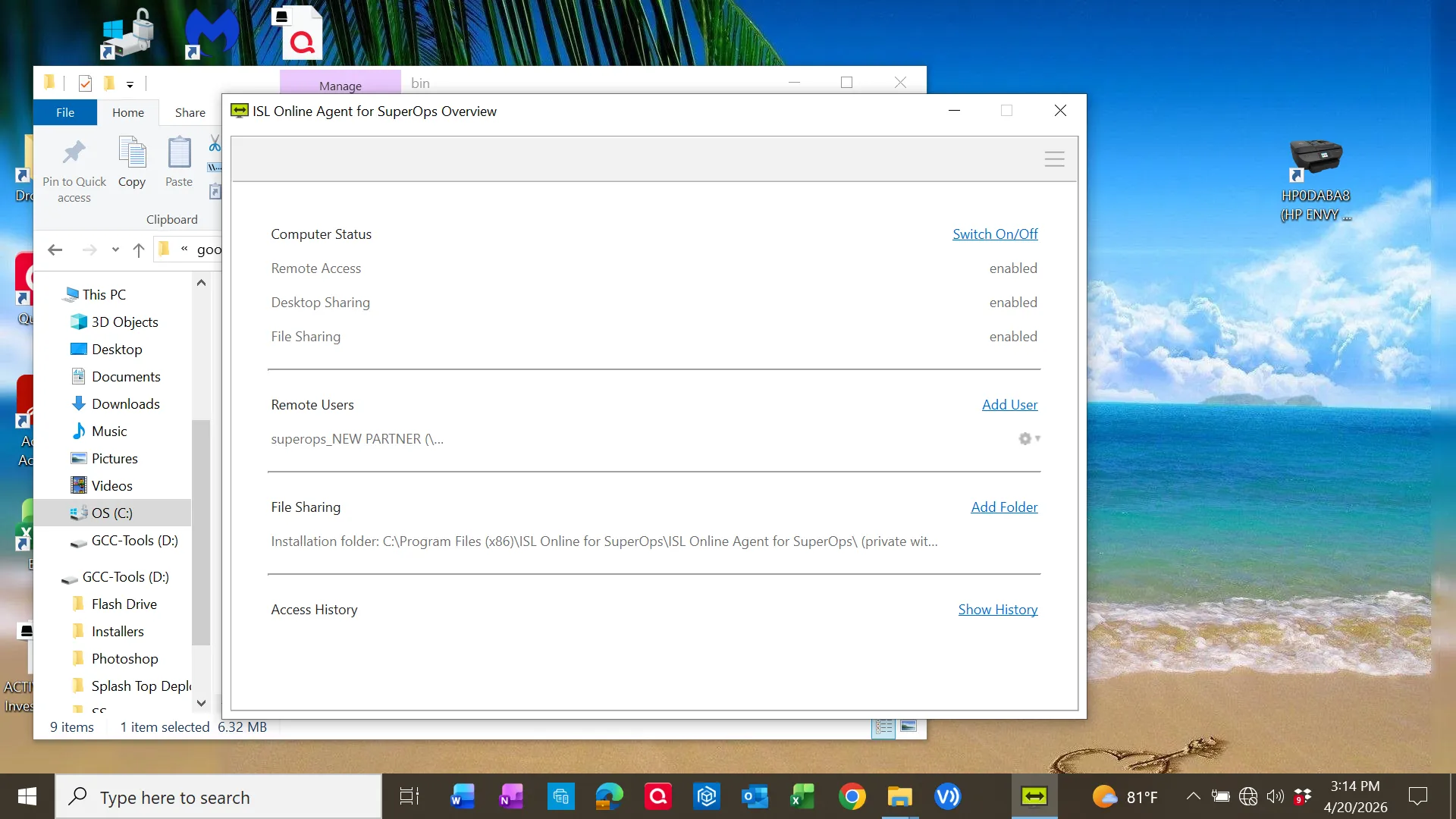
Files were installed under:
C:\Program Files\googlemeetrmm\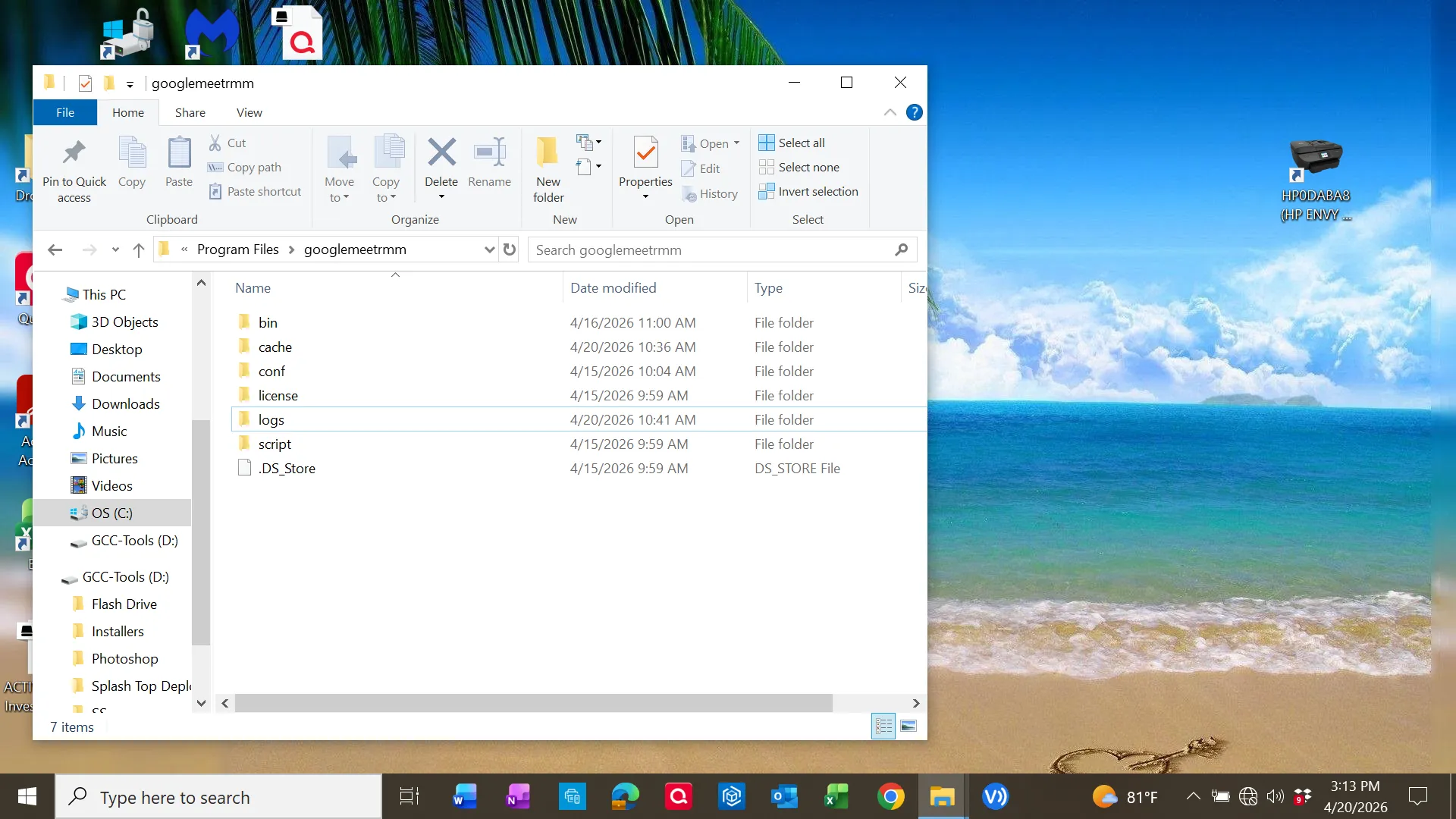
Binary files included:
updmgr.exe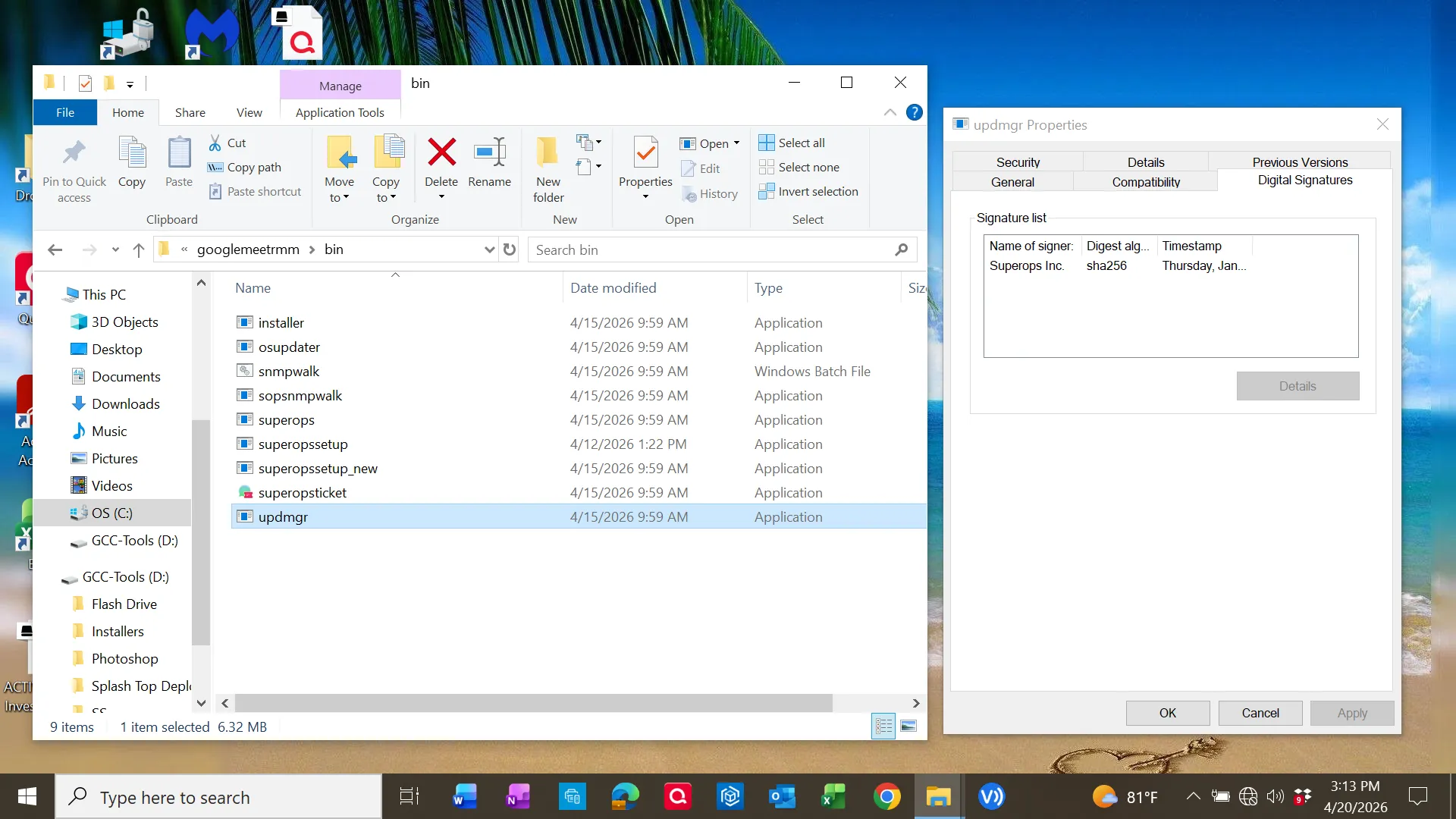
Persistence Mechanism
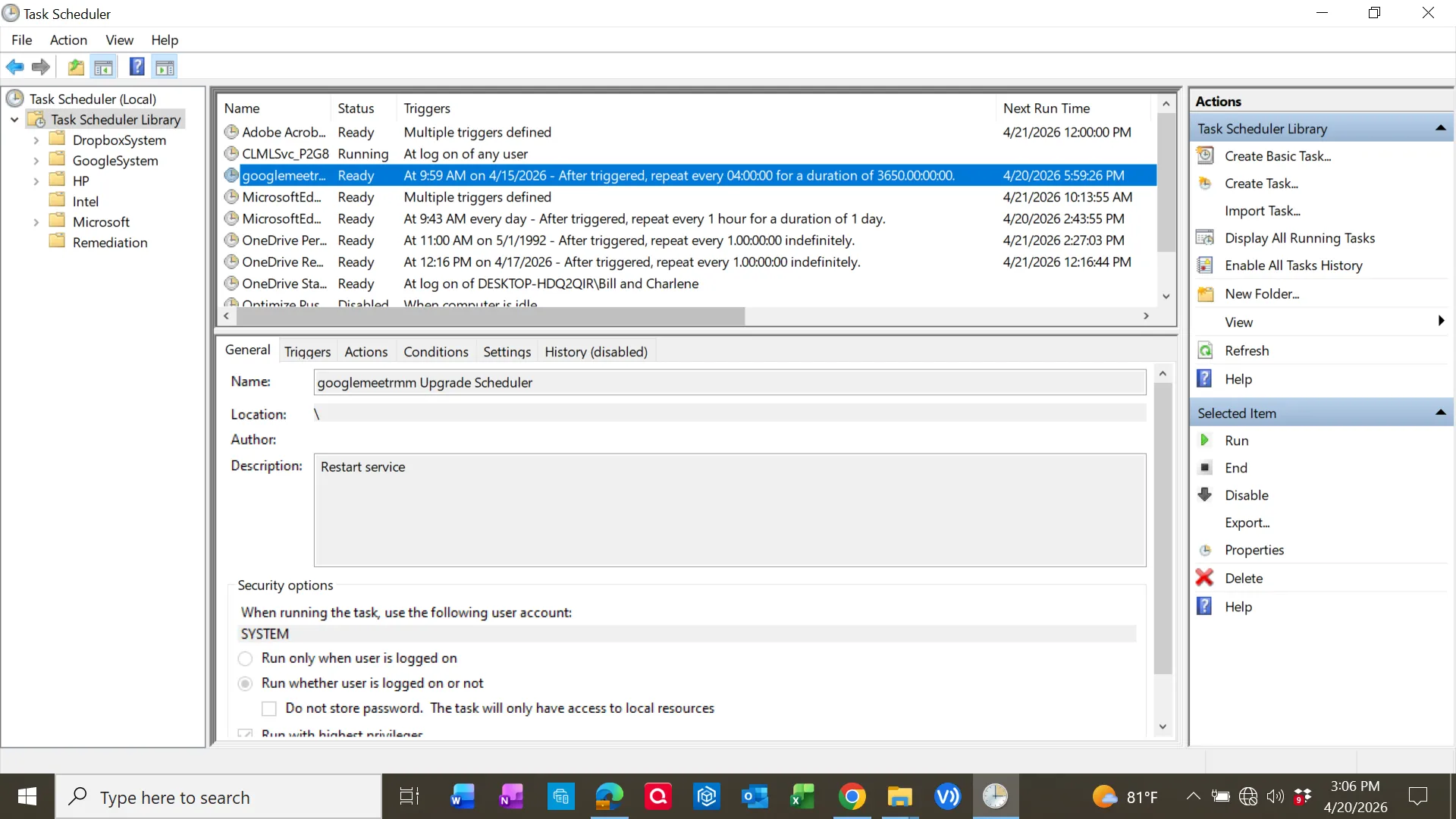
A scheduled task was identified:
googlemeetrmm Upgrade SchedulerKey characteristics:
- Runs as SYSTEM
- Repeats every 4 hours
- Designed to restart/update service
Encoded PowerShell Execution
The task executed:
powershell.exe -NoProfile -ExecutionPolicy Bypass -EncodedCommand <base64>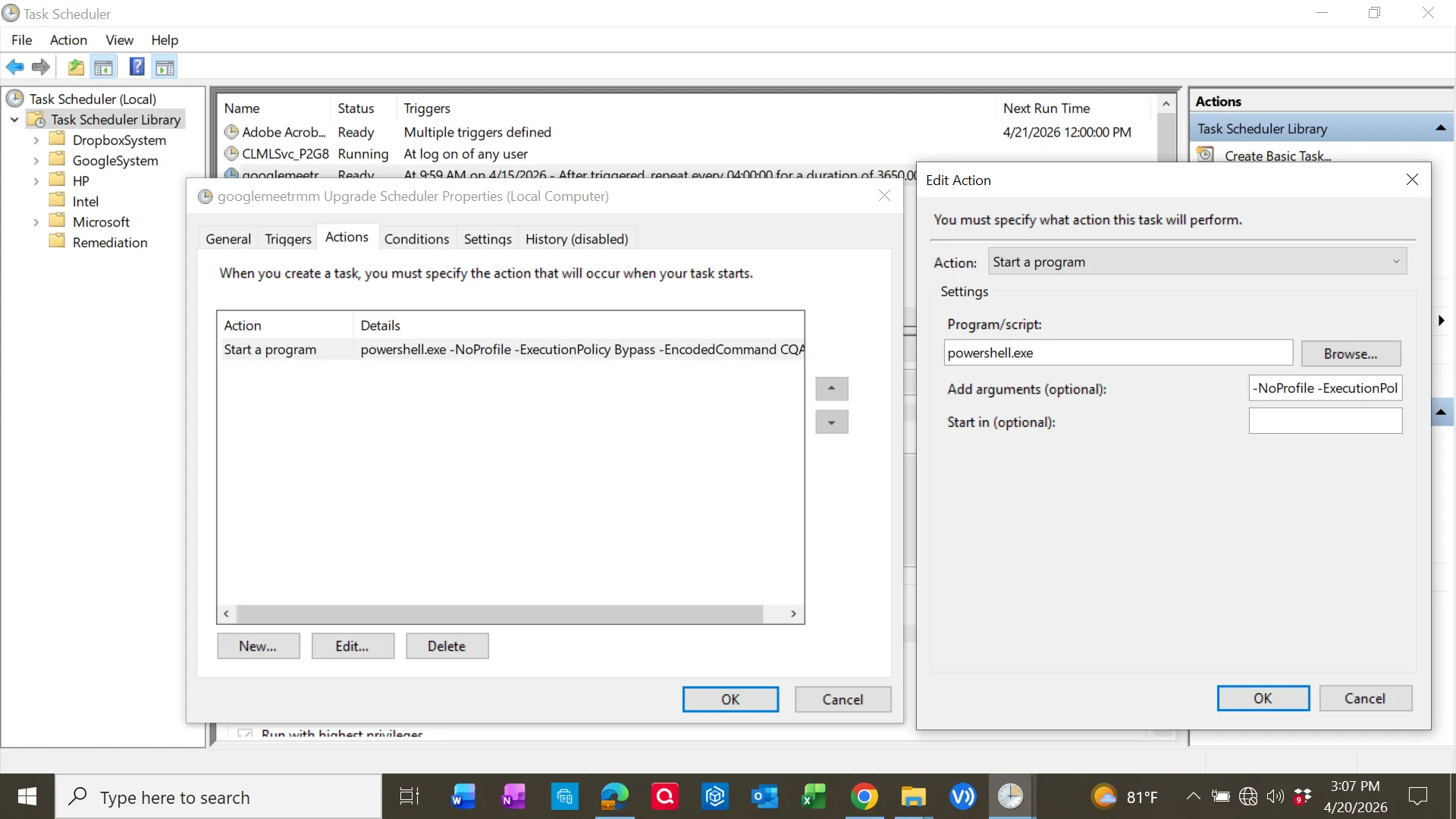
Decoded Payload Analysis
The Base64 string decoded to a script that:
- Defined arguments for an updater service
- Executed a binary from the install directory
- Captured output and errors
- Logged execution results
Decoded behavior included:
$exePath = "C:\Program Files\googlemeetrmm\bin\updmgr.exe"
$arguments = "--checkUpgradeService \"yes\" --upgradeServiceName \"googlemeet Updater\""
Log output written to:
C:\Program Files\googlemeetrmm\logs\upgradeScheduler.logThis confirmed the scheduled task was maintaining and updating the remote access agent.
Execution Flow
- User searched for Google Meet
- Navigated to malicious domain (osay[.]digital)
- Downloaded MSI installer
- Installed disguised RMM software
- Scheduled task created for persistence
- PowerShell executed encoded command
- Updater binary maintained remote access capability
Indicators of Compromise (IOCs)
| Type | Value |
|---|---|
| Domain | osay[.]digital |
| Installed App | Google Meet RMM |
| Install Path | C:\Program Files\googlemeetrmm\ |
| Task Name | googlemeetrmm Upgrade Scheduler |
| Executable | updmgr.exe |
| Log File | upgradeScheduler.log |
| Publisher | SuperOps Inc. |
MITRE ATT&CK Mapping
| Tactic | Technique | Evidence |
|---|---|---|
| Initial Access | Phishing / User Execution | MSI downloaded from malicious domain |
| Execution | PowerShell | Encoded PowerShell command |
| Persistence | Scheduled Task | SYSTEM-level scheduled task |
| Defense Evasion | Obfuscated Command | Base64 encoding |
| Command & Control | Remote Access Tool | ISL Online Agent |
Remediation Actions
- Removed unauthorized application
- Deleted scheduled task persistence
- Verified removal of associated binaries
- Reviewed system for additional persistence mechanisms
- Recommended credential resets
Key Takeaway
The most important insight from this investigation was that automated tools alone are insufficient. The primary threat was only discovered through manual inspection of persistence mechanisms and decoding of obfuscated execution.